Types of Web Hosting Explained (Shared, VPS, Cloud, Premium)
Introduction
Types of web hosting can be confusing for beginners because each hosting type is designed for different website needs. Choosing the wrong hosting often leads to slow speed, downtime, or unnecessary costs.
In this guide, we explain the main types of web hosting, how they work, and which type is suitable for different kinds of websites. This article is part of our web hosting explained series by SemayraHost.
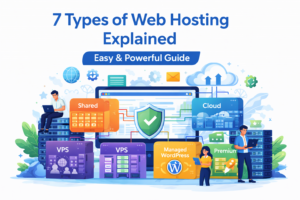
What Are the Different Types of Web Hosting?
Web hosting is not a single service. Hosting providers offer different hosting types based on performance, resources, scalability, and management level. Understanding these options helps you choose hosting that fits your website today and in the future.
If you are completely new, start with our guide on what is web hosting to understand the basics before comparing hosting types. Different hosting environments are designed for different use cases, as explained in Cloudflare’s guide to web hosting.
Shared Hosting
Shared hosting is the most common and affordable type of web hosting. Multiple websites share the same server and its resources, such as CPU, RAM, and storage.
Best For :
- Beginners
- Personal blogs
- Small business websites
- Low-traffic sites
Advantages:
- Low cost
- Easy to use
- No technical knowledge required
Disadvantages:
- Limited performance
- Slower speed during traffic spikes
- Fewer customization options
Shared hosting is ideal for starting a website, but it may become limiting as traffic grows.
VPS Hosting (Virtual Private Server)
VPS hosting provides dedicated resources within a shared physical server. Each website runs in its own isolated environment, offering better performance and control than shared hosting.
Best for :
- Growing websites
- Medium-traffic blogs
- Business websites
Advantages :
- Better speed and stability
- Dedicated CPU and RAM
- More control over server settings
Disadvantages:
- Higher cost than shared hosting
- Requires basic technical knowledge
VPS hosting is a popular upgrade when a website outgrows shared hosting.
Cloud Hosting
Cloud hosting uses a network of connected servers instead of a single physical server. This setup allows websites to scale resources dynamically based on demand.
Best for:
- High-traffic websites
- Ecommerce stores
- Websites with traffic spikes
Advantages:
- High uptime and reliability
- Easy scalability
- Handles sudden traffic surges well
Disadvantages:
- Pricing can be complex
- May cost more than traditional hosting
Cloud hosting is ideal for websites that require flexibility and consistent performance.
Managed WordPress Hosting
Managed WordPress hosting is specifically optimized for WordPress websites. The hosting provider handles technical tasks like updates, security, and performance optimization.
Best for:
- WordPress bloggers
- Business websites
- Non-technical users
Advantages:
- Optimized for WordPress
- Automatic updates and backups
- Enhanced security
Disadvantages:
- More expensive than shared hosting
- Limited flexibility on some plans
Managed WordPress hosting allows website owners to focus on content instead of technical maintenance.
Premium Hosting
Premium hosting refers to high-quality hosting plans that focus on performance, reliability, security, and support. It is not a separate hosting type but a premium tier that can apply to VPS, cloud, or managed hosting.
Best for:
- Business-critical websites
- High-traffic blogs
- Ecommerce and professional websites
Key benefits of premium hosting:
- Faster server performance
- Higher resource limits
- Stronger security features
- Priority technical support
- Better uptime guarantees
Premium hosting is suitable for websites that demand consistent performance and professional-grade reliability.
How to Choose the Right Type of Web Hosting
To choose the right hosting type, consider:
- Your current traffic
- Expected growth
- Technical skills
- Budget
- Performance requirements
General recommendations:
- Beginners → Shared Hosting
- Growing sites → VPS Hosting
- High traffic → Cloud Hosting
- WordPress users → Managed WordPress Hosting
- Business-critical sites → Premium Hosting
For a complete overview, refer to our web hosting explained pillar guide. Google recommends choosing hosting that delivers good page experience, including fast load times and stability.
Can You Change Hosting Types Later?
Yes, websites can upgrade hosting as they grow. Many websites start with shared hosting and move to VPS, cloud, or premium hosting later. Migration is common and safe when done properly.
Frequently Asked Questions
Which type of web hosting is best for beginners?
Shared hosting or managed WordPress hosting is best for beginners.
Is cloud hosting better than VPS hosting?
Cloud hosting is better for scalability, while VPS hosting offers predictable performance.
When should I upgrade my hosting?
Upgrade when your website becomes slow, traffic increases, or you hit resource limits.
Final Thoughts
Understanding the types of web hosting helps you make informed decisions for your website. Each hosting type serves a different purpose, and the best choice depends on your website’s size, traffic, and goals.
This guide is part of the web hosting explained content cluster on SemayraHost, created to help website owners choose the right hosting with confidence.